

waveshare 7.9inch Touchscreen Display for Raspberry Pi 4B/3B+/3A+, 480×1280 Resolution IPS Screen, DSI Interface, Capacitive Touch Panel Support up to 5 Points Touch
Product details
| Management number | 209105652 | Release Date | 2026/03/29 | List Price | $38.80 | Model Number | 209105652 | ||
|---|---|---|---|---|---|---|---|---|---|
| Category | |||||||||
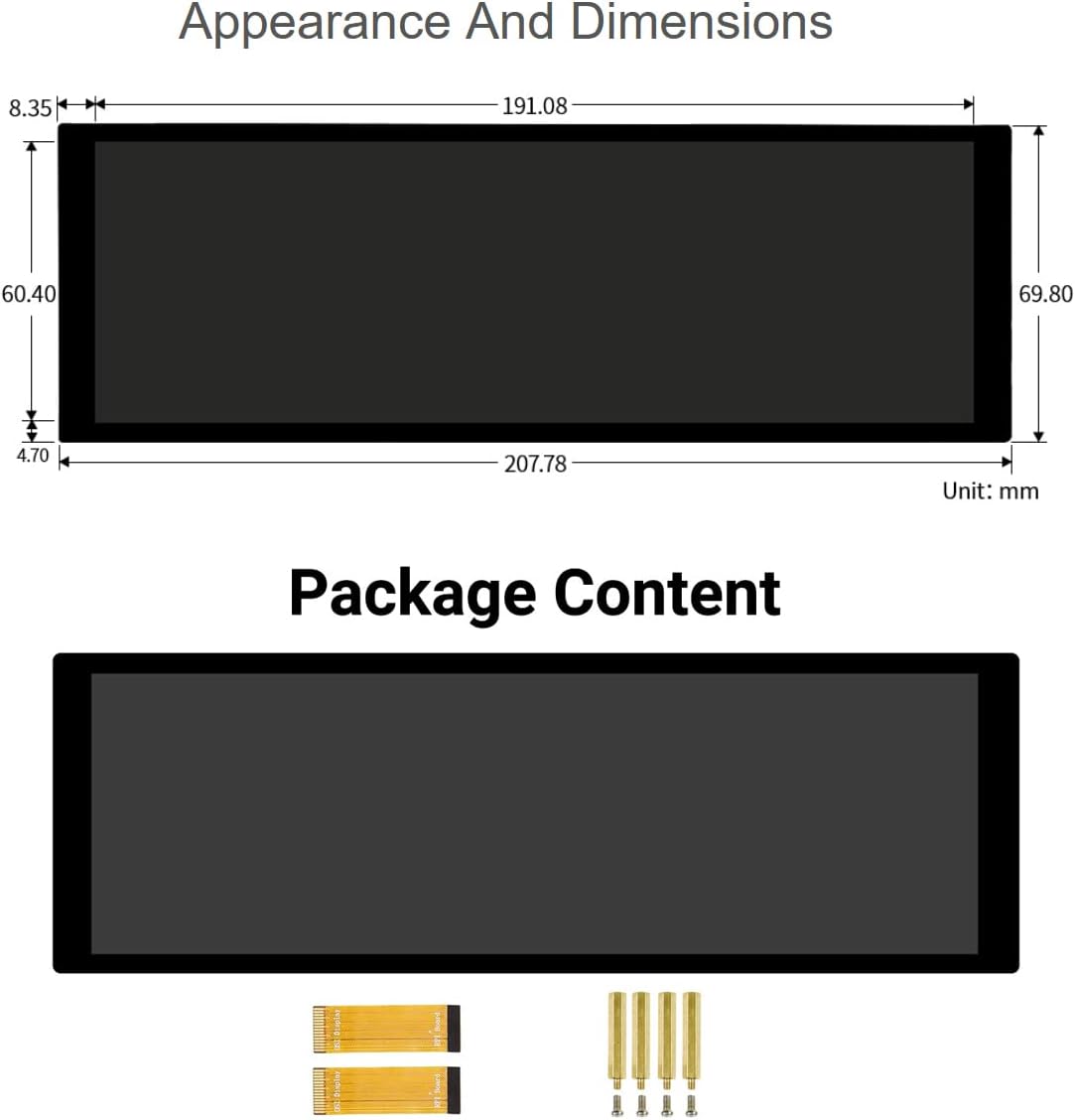
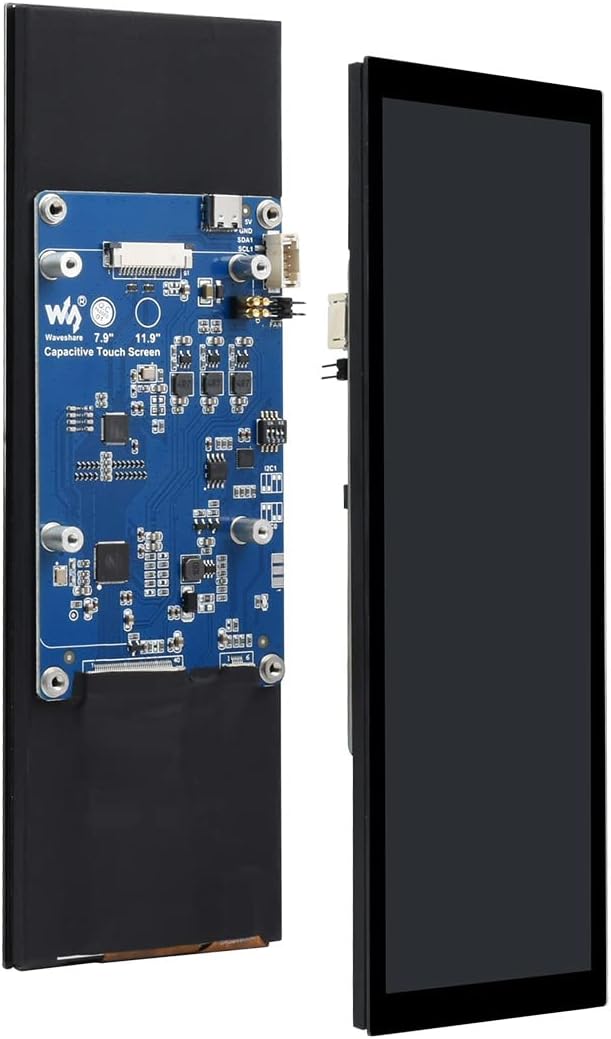
Overview 7.9inch Capacitive Touch Display for Raspberry Pi, 400×1280 Hardware Resolution, IPS Screen, DSI Interface. Working with RPi 1. Hardware Connection 1) Turn the DIP switch on the back of the LCD to I2C0 or I2C1 mode, the Bullseye branch uses I2C0, and the Buster branch uses I2C1. The default is I2C0 mode. 2) Use a 15PIN FPC cable to connect the 7.9inch DSI LCD to the DSI interface of the Raspberry Pi. 3) Fix the Raspberry Pi to the screen with screws, and pay attention to the alignment of the ejector pins. 2. Software Debugging 1) Download image from the Raspberry Pi website. 2) Connect the TF card to the PC, use SDFormatter software to format the TF card. 3) Open the Win32DiskImager software, select the system image downloaded in step 1, and click ‘Write’ to burn the system image. 4) After the programming is completed, connect the TF card to the Raspberry Pi, start it and log in to the terminal of the Raspberry Pi (you can connect the Raspberry Pi to an HDMI display or log in remotely with ssh). Note: The above steps need to ensure that the Raspberry Pi can be connected to the Internet normally. 5) Wait for the system to restart, it will be able to display and touch normally. 3. Rotation Method 1: in the start menu, select: Preferences->Screen Configuration->Configure->Screens->DSI-1->Orientation, select the corresponding angle in it, click "√", select Yes, and restart. Method 2: display rotation Method 3: touch to rotate 4. Backlight Control Note: Please refer to the online user manual for details. Feel free to contact us via Buyer Messages. Package Content 7.9inch DSI LCD x1 FPC 15PIN 1.0 pitch 50mm (opposite sides) x2 Screws pack x1
- 7.9inch touch display for Raspberry Pi, 400×1280 hardware resolution, IPS screen, capacitive touch display, DSI interface, refresh rate up to 60Hz
- Supports Raspberry Pi OS, up to 5-points touch, driver required. Supports Raspberry Pi 4B/3B+/3A+, CM3/3+/4 requires extra adapter board
- The display orientation is portrait by default, 480×1280 resolution (H×V), you can change the software config to display in landscape orientation
- Brightness is adjustable by software
- Development Resources and Technical Support are provided, we provide Online User Manual, please feel free to contact us if you have any problem!
| UPC | 755291679175 |
|---|---|
| Brand | waveshare |
| Model Name | 7.9inch DSI LCD for Raspberry Pi |
| Screen Size | 7.9 Inches |
| Aspect Ratio | 4:3 |
| Display Type | IPS |
| Manufacturer | Waveshare |
| Refresh Rate | 60 Hz |
| Screen Finish | Glossy |
| Viewing Angle | 170 Degrees |
| Contrast Ratio | 1000:1 |
| Native Resolution | 480 x 1280 |
| Compatible Devices | Desktop |
| Display Technology | LCD |
| Additional Features | Touchscreen |
| Hardware Connectivity | HDMI |
| Connectivity Technology | HDMI |
| Display Resolution Maximum | 400 x 1280 |
| Total Number of HDMI Ports | 1 |



Bestseller ranking
Shampoos




Customers who viewed this product also viewed
Monitors


Correction of product information
If you notice any omissions or errors in the product information on this page, please use the correction request form below.
Correction Request Form