
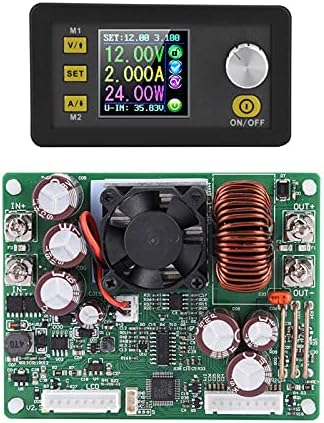
Power Module + Buck Converter Display Module Walfront Digital Programmable Converter LCD Display Constant Voltage Current Buck Converter(DPS5020)
$90.00
Price when purchased online
Free shipping
Free 30-day returns
Sold and shipped by www.bitbiashara.com
We aim to show you accurate product information. Manufacturers, suppliers and others provide what you see here.
$90.00
Price when purchased online
Free shipping
Free 30-day returns
Sold and shipped by www.bitbiashara.com
Free 30-day returns Details
Product details
| Management number | 209072868 | Release Date | 2026/03/29 | List Price | $36.00 | Model Number | 209072868 | ||
|---|---|---|---|---|---|---|---|---|---|
| Category | |||||||||
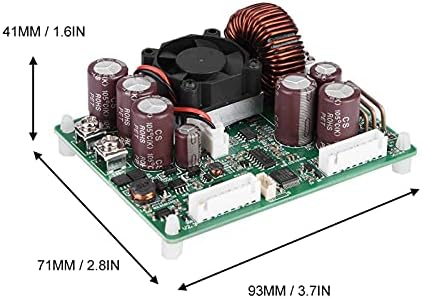
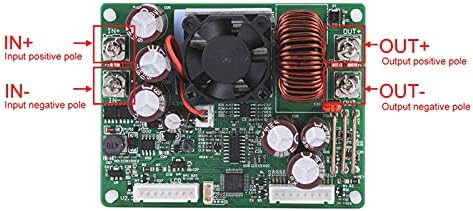
- PROGRAMMABLE CONTROL POWER SUPPLY: This constant voltage and constant current programmable control power supply module makes analog integration and digital control functions combined in one. It can store 10 groups of preset value and can quickly extract 2 groups of preset value.
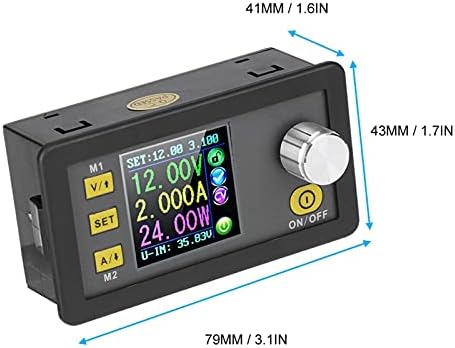
- VOLTAGE AND CURRENT METER FUNCTION: With LCD display and the function of voltage and current meter, you can view the preset voltage, input voltage, output voltage, preset current, output current, output power, etc. In the output state display area, it is convenient for you to know whether the output works, output voltage/current state, current data group extracted, etc.
- GOOD VISUAL EFFECT STRONG OPERABILITY: Characterized with advanced functions, high accuracy, good visual effect and strong operability, the item is really practical. The power supply module features small in volume, advanced in function, good in effect, strong in operability and high in precision.
- LOCK BUTTON TO AVOID WRONG OPERATION: Open or close the output: You can press the ON/OFF button to open or close the output on any interface. Lock the button to avoid wrong operation: On any interface, you can keep pressing coding potentiometer for 2 seconds, all buttons are locked. Keep pressing coding potentiometer for 2 seconds to unlock all buttons. You can see the key lock/unlock icon on the right of the screen.
- QUICKLY EXTRACT STORAGE DATA GROUP: M0-M9 ten data groups: M0 group is the boot default data group. When you extract the data group you need, this data group will cover M0 data group and be automatically stored on M0 data group. You can quickly extract storage data group M1 or M2 or extract the specified data group.




Bestseller ranking
Power Converters
![Yinleader 500W Voltage Transformer Power Converter(110V to 220V, 220V to 110V) Step Up/Down Converter 110/120 Volt - 220/240 Volt w/US Power Cord [300W Continuous Power]](https://m.media-amazon.com/images/I/71BQTWHW6LL._SL1500_.jpg)


Customers who viewed this product also viewed
Video Projectors



![[Sound by JBL & Built-in Google TV] Yaber T2 Plus2026 Outdoor Projector with Built-in Battery - Smart Projector with WiFi 6 and Bluetooth, Native 1080P Movie Portable Projector for Indoor and Outdoor](https://m.media-amazon.com/images/I/81TrWVeSINL._AC_SL1500_.jpg)

Correction of product information
If you notice any omissions or errors in the product information on this page, please use the correction request form below.
Correction Request Form